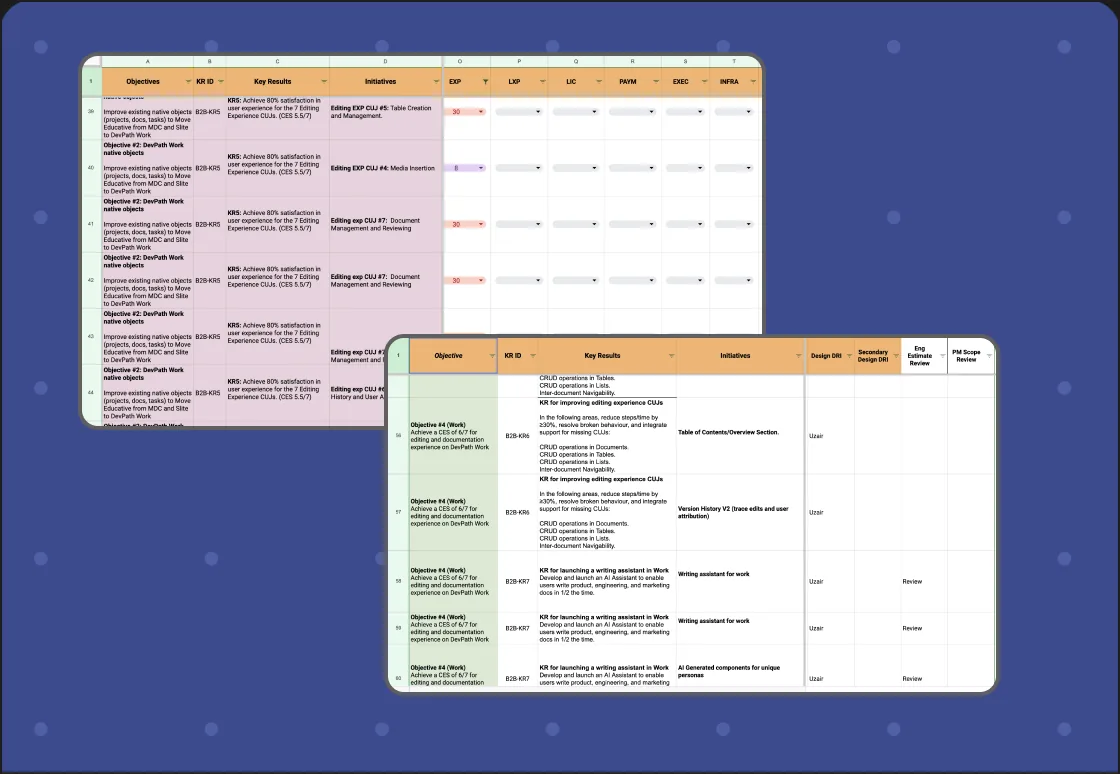
Set quarterly goals and initiatives
We started by setting quarterly goals, establishing milestones to guide our progress. This step-by-step approach ensured steady movement toward our objectives with each milestone achieved.
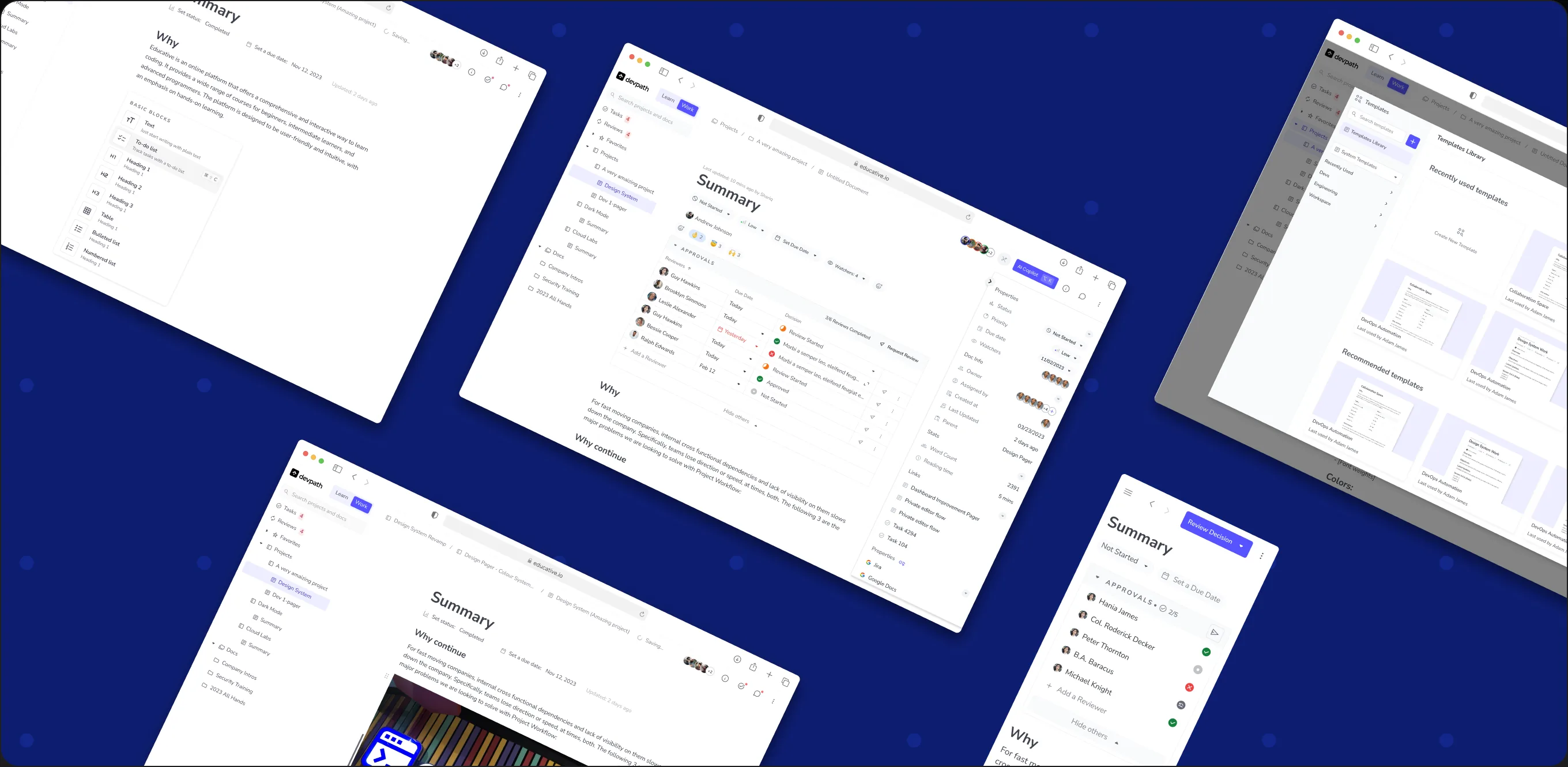
Educative's growth demanded a better editor! This case study dives into how I, along with two product managers and 5 developers, improved the existing editor experience. Our goal: pack it with features to boost productivity, teamwork, workflow speed, and decision-making. Let's see how we achieved this!
Before diving in, we needed to map out our goals. We wanted to build on the existing Editor Experience and make it a true collaboration powerhouse. Our focus was to leverage what we already had and expand it to support the entire team workflow. This meant everything from brainstorming ideas (proof of concepts) to finalizing features, and from using cutting-edge tech to keeping the product design consistent. Here's a breakdown of the specific goals we set for this project:

As we dove into the Editor Experience project at Educative, we encountered several hurdles that demanded creative solutions. Overcoming these challenges was crucial to realizing our vision for the product. Here are some of the key obstacles I encountered along the way:
Shifting Gears: From Build to User-Centered Design
Initially, the process followed a "build it and they will come" approach. However, this didn't guarantee success. To create something truly amazing, I needed to convince stakeholders of the value of a user-centered design process. This meant conducting user interviews, user research, and rigorous testing with teams to ensure features directly addressed user needs.
Prioritizing Features for Maximum Impact
With ideas on the table, we needed to come up with a process where features directly impacting user collaboration and productivity received top priority.
Keeping Users in the AI Loop
Integrating AI functionality was essential, but we wanted to avoid users needing to jump to other platforms for suggestions. We have to introduce solutions by creating an in-product AI feature that can provide inspiration and suggestions within the Editor Experience itself.
Consistency is Key: Revamping Old Designs
Maintaining a consistent design across the platform was crucial. This involved updating older elements, which turned out to be a time-consuming task. However, the investment in design consistency was essential for a seamless and intuitive user experience.
As we embarked on achieving our goals, setting a clear approach was paramount for long-term success. Our aim was to create a user-friendly product that users would love to use and that solves all their problems.
To tackle the challenges and achieve our goals, I devised a comprehensive strategy. Here are the key points of my approach:
We started by setting quarterly goals, establishing milestones to guide our progress. This step-by-step approach ensured steady movement toward our objectives with each milestone achieved.
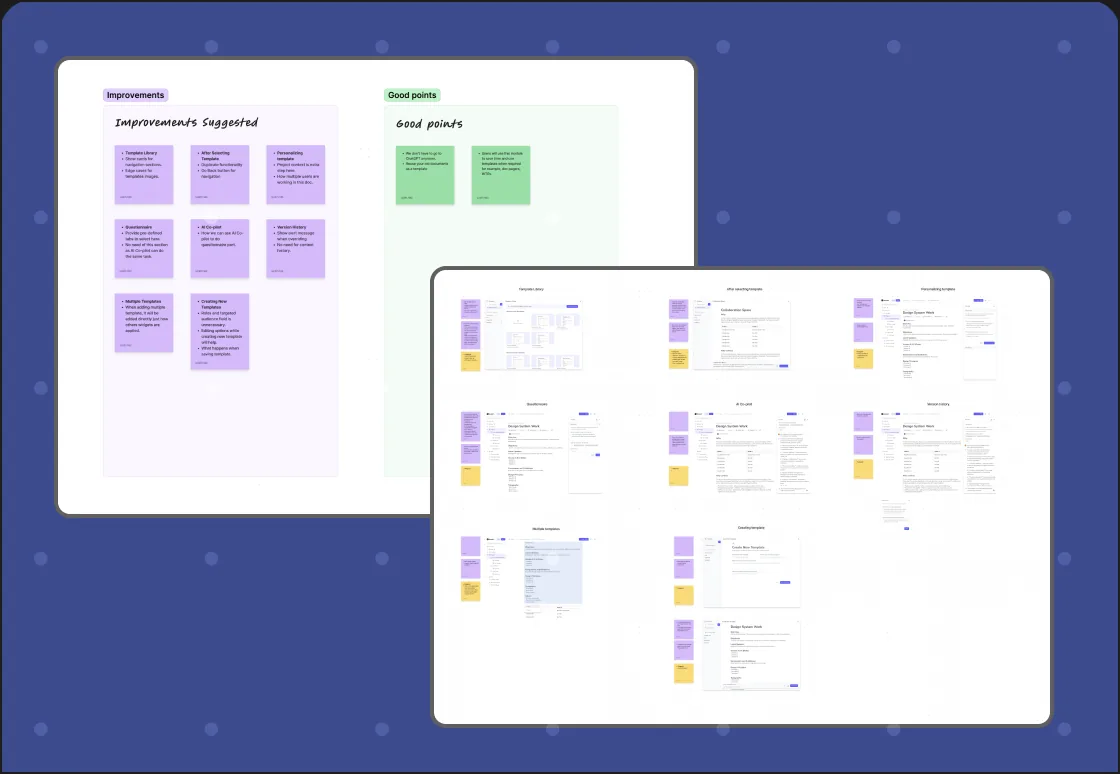
In this phase, I delved into extensive research on features and tasks at hand, uncovering scenarios. Collaborating with my team, we meticulously defined the requirements for our objectives.
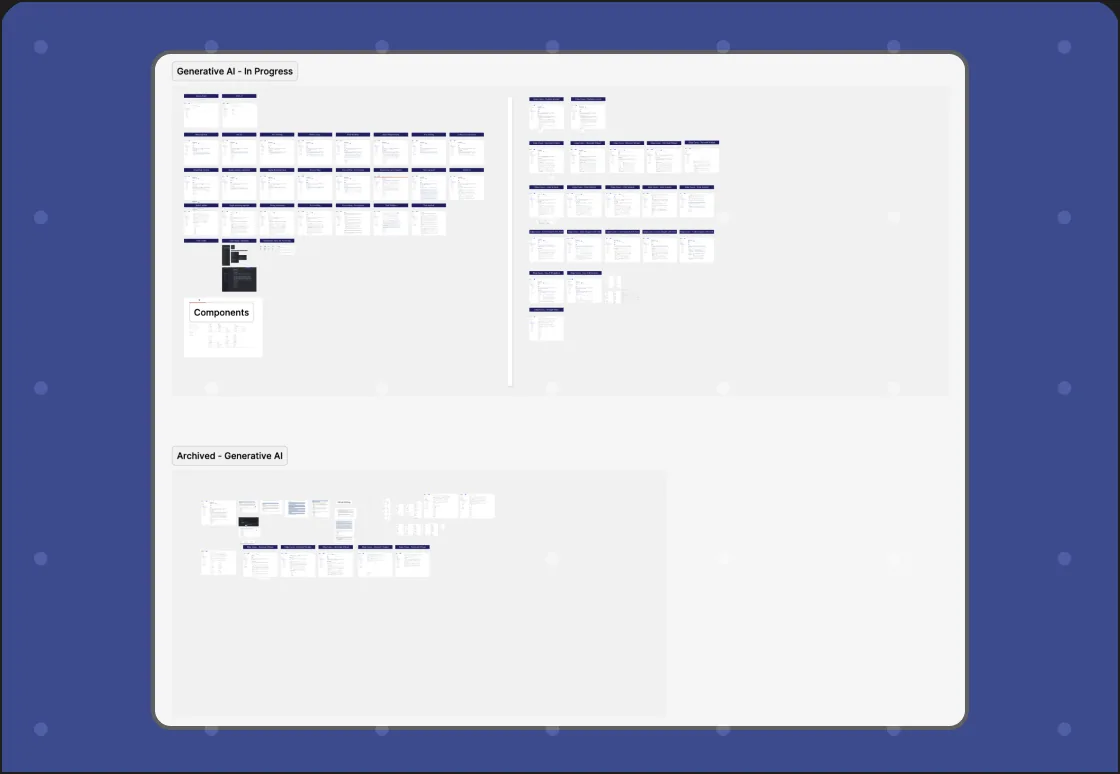
At this stage, I initiated the design phase, crafting solutions. These designs underwent rigorous testing with users, facilitating iterative improvements based on feedback, culminating in finalization.
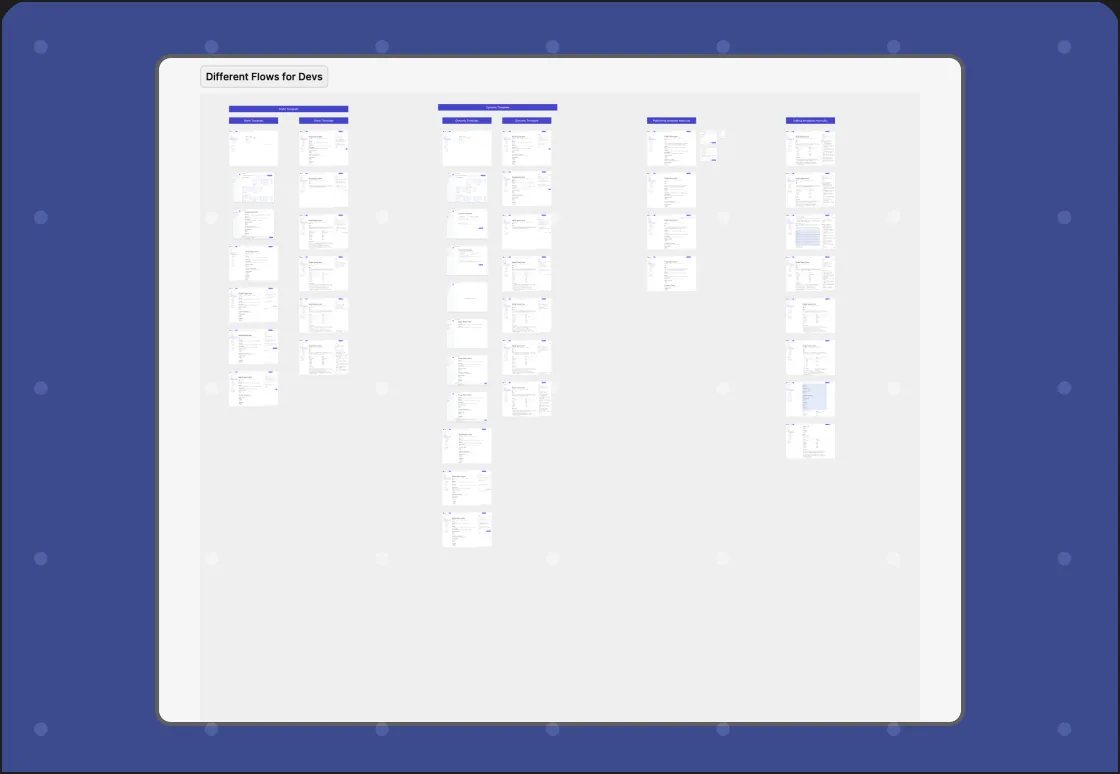
After finalizing the designs, we transitioned to the development phase, providing support to developers. Once done, we reviewed the live version, addressing any audits or user feedback if required.
Equipped with a clear vision and design expertise, I was ready to tackle the project's challenges and create innovative solutions. With a plan in place, it was time to bring my ideas to life and drive the product towards success.
Through thorough goal analysis and a user-centric approach, I developed solutions that served a great deal for our team, my solutions were designed in a way so that it can help our team in a way so that they can work on their ideas, come up with creative solutions, collaborate with each other and stakeholders, other teams into the discussions and keep track of work.
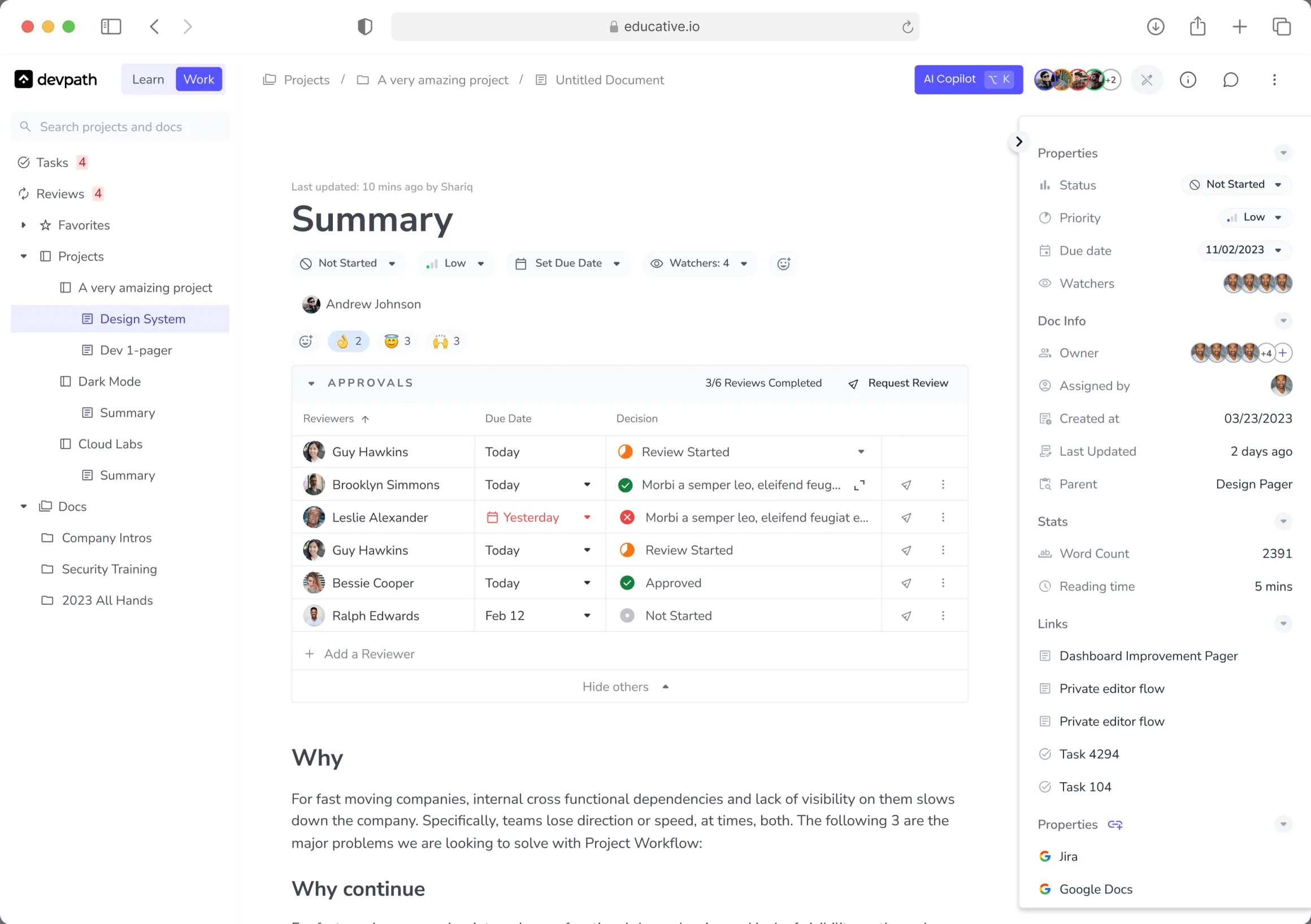
After covering all the challenges and doing research and testing, I came up with features that were as follows:
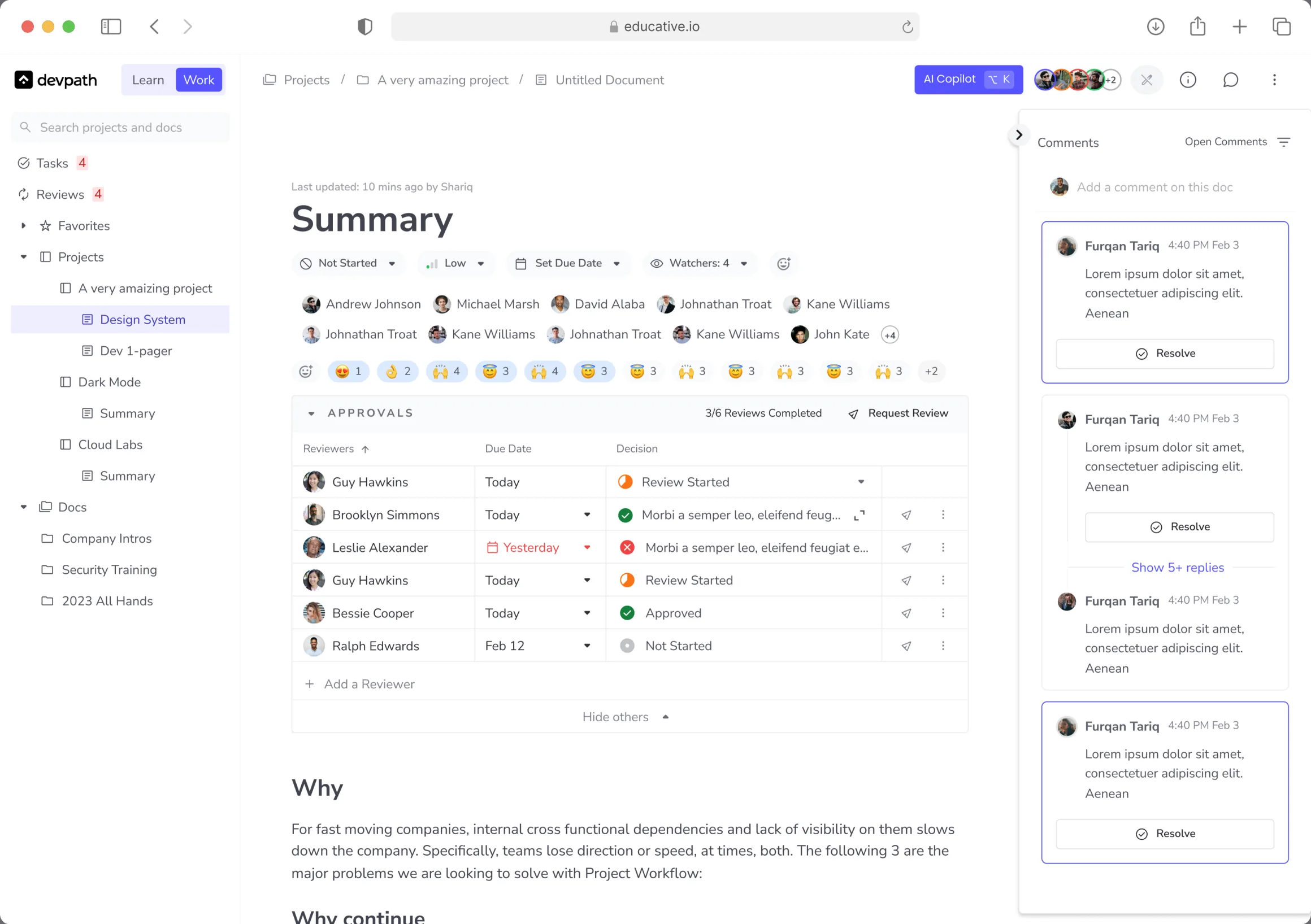
In the team collaboration section, I came up with features that helped users in keeping track of the work, to be in sync with each other related to any task, project or any discussion. Users can now easily engage in a conversation and can come up to a conclusion.
The features that were introduced for that purpose were as follows:
Communication Tools
A complete communication module was introduced that allows users to comment, mention teammates, and collaborate on documents through features like real-time editing and feedback sharing.
Real-time Collaboration
Multiple users can now work simultaneously on the same document, fostering efficient co-creation and streamlining project workflows.
Access Control
A permission system grants read-only or edit access, ensuring all team members can contribute appropriately while maintaining document control.
Streamlined Review and Approval
Another important feature introduced was review system that allows users to assign reviewers for specific feedback and approvals, eliminating bottlenecks and accelerating project progress.
Collaboration Related Features
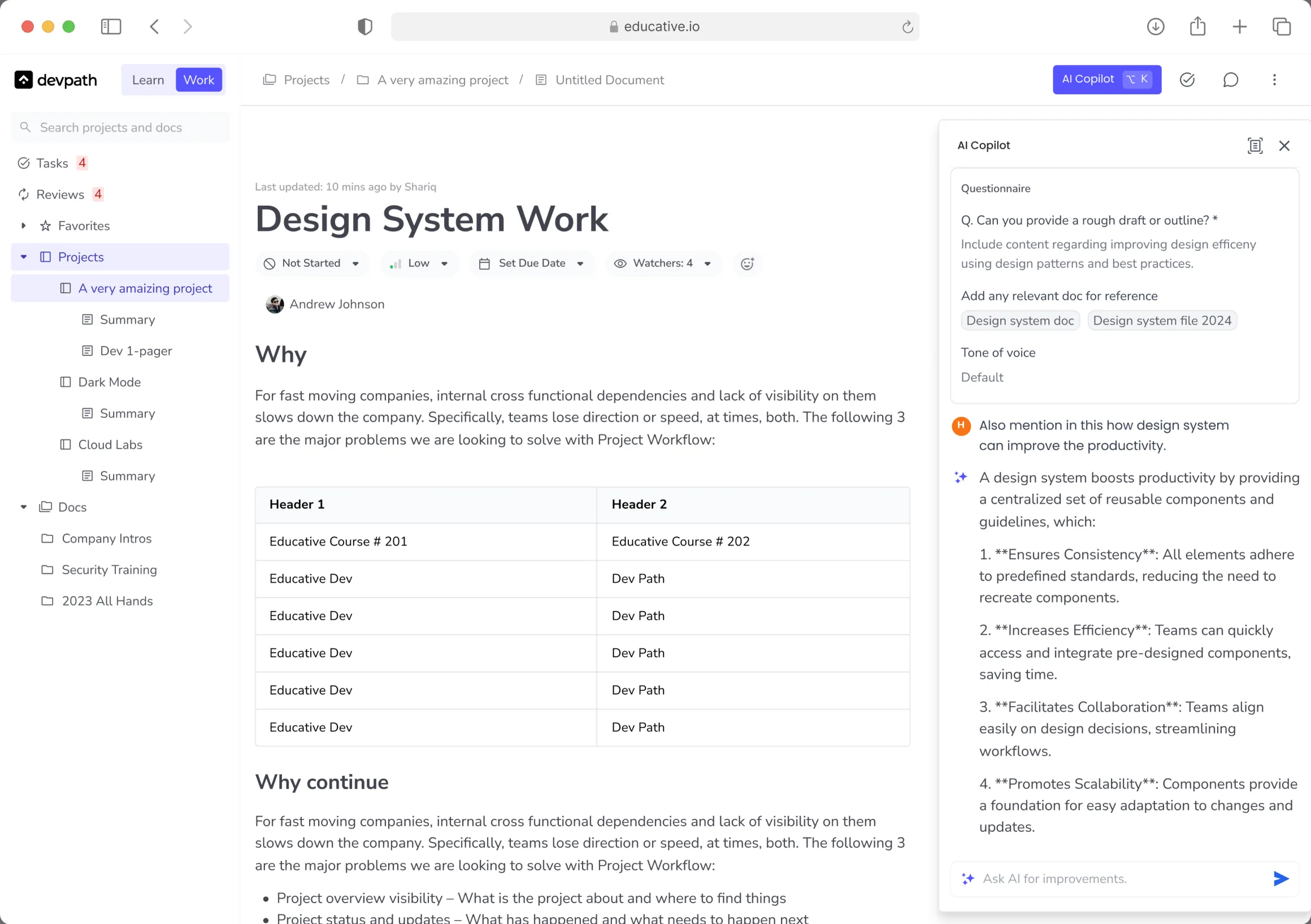
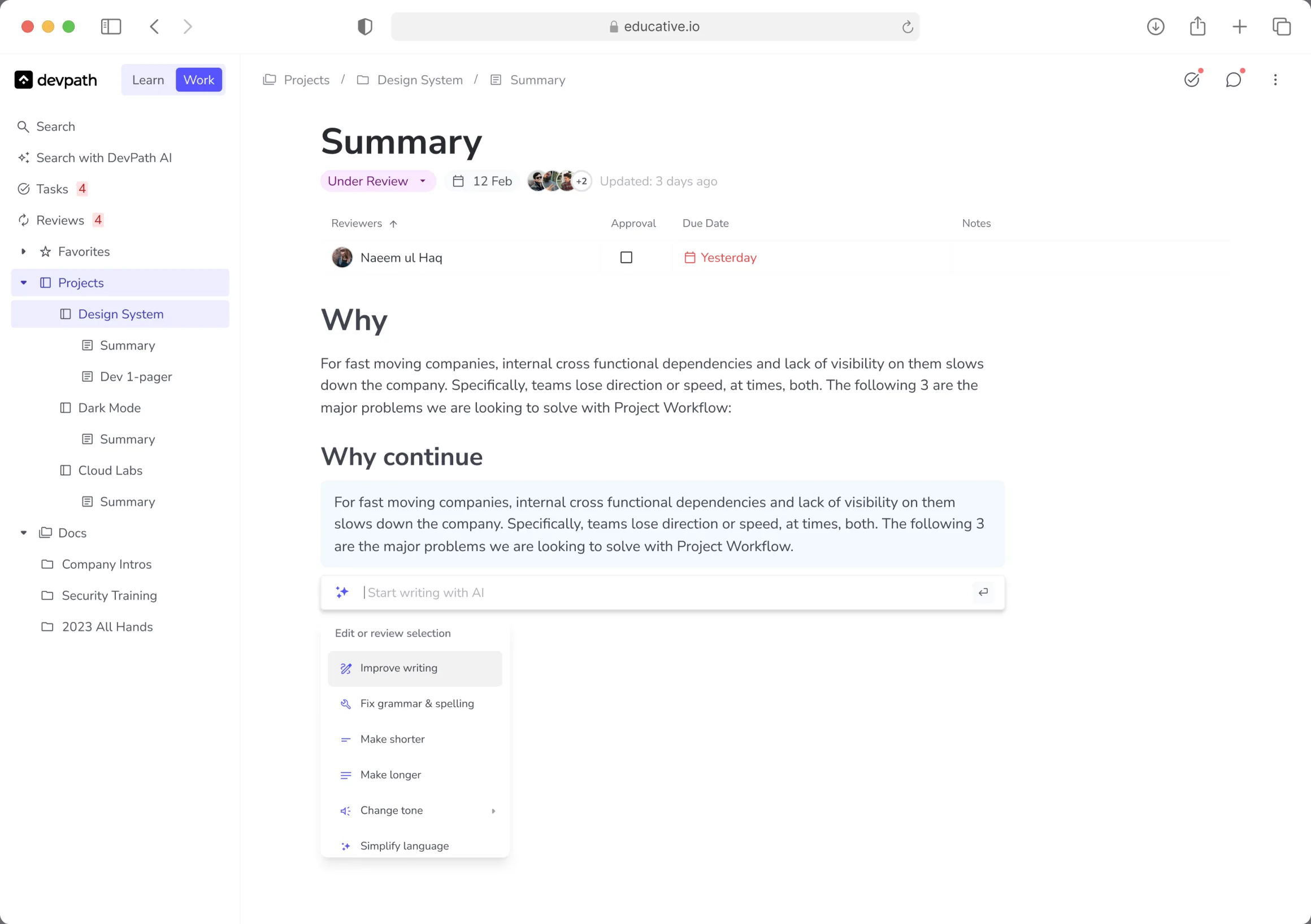
Leveraging the latest advancements in AI, we integrated features to significantly enhance user efficiency, it helped the users to use AI when they find themselves stuck at some point or need to build on ideas using AI features to improve their productivity.
Ask with AI
This feature was introduced to help users to streamline content creation and empowers users to communicate their ideas more effectively.
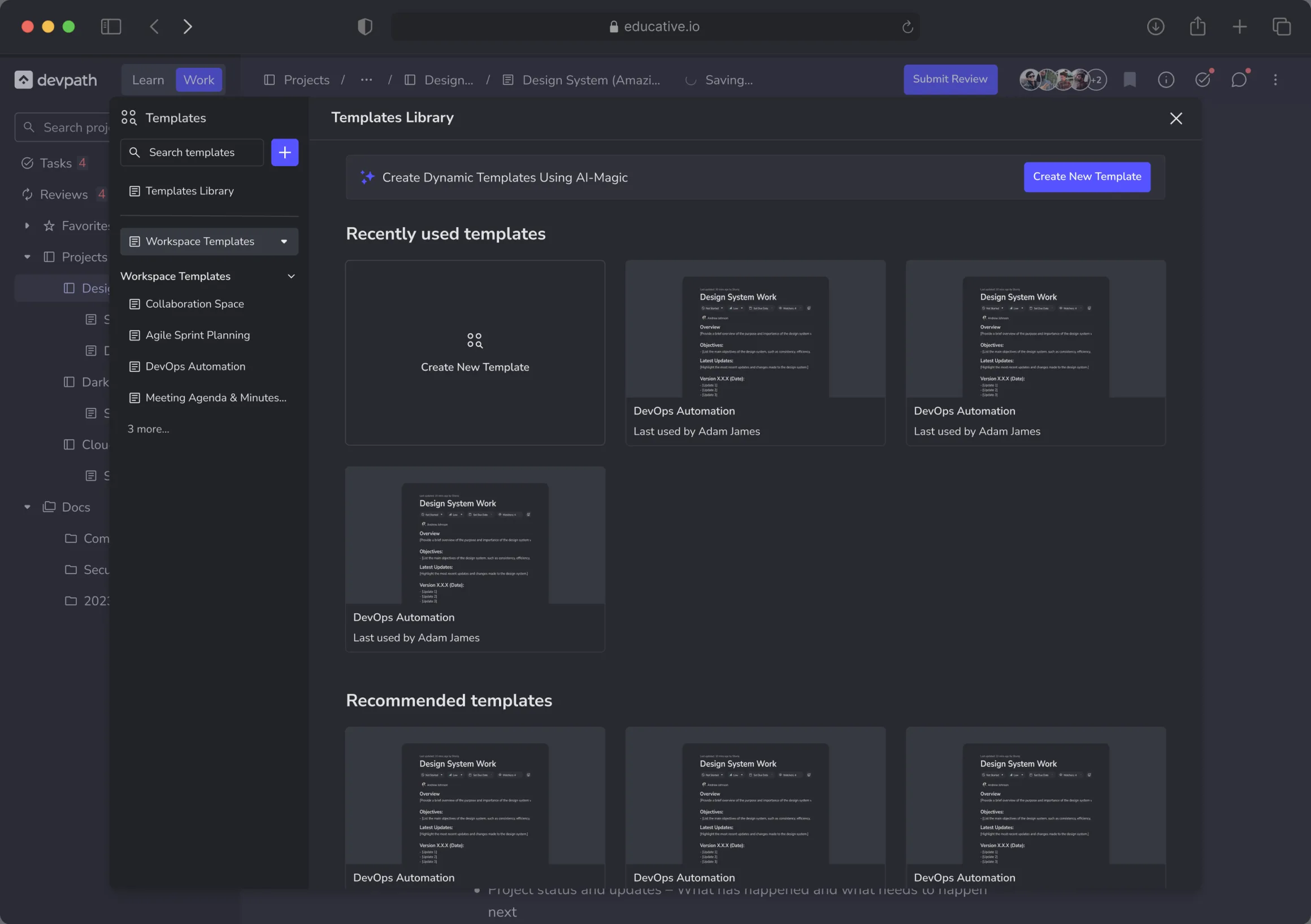
AI Templates Library
It provides pre-built templates to accelerate workflows and ensure consistency. It helps users to create templates that they often required in their work, then take help from AI to populate the content according to the requirement, hence help to save tons of the time in writing same content over again.
AI Features
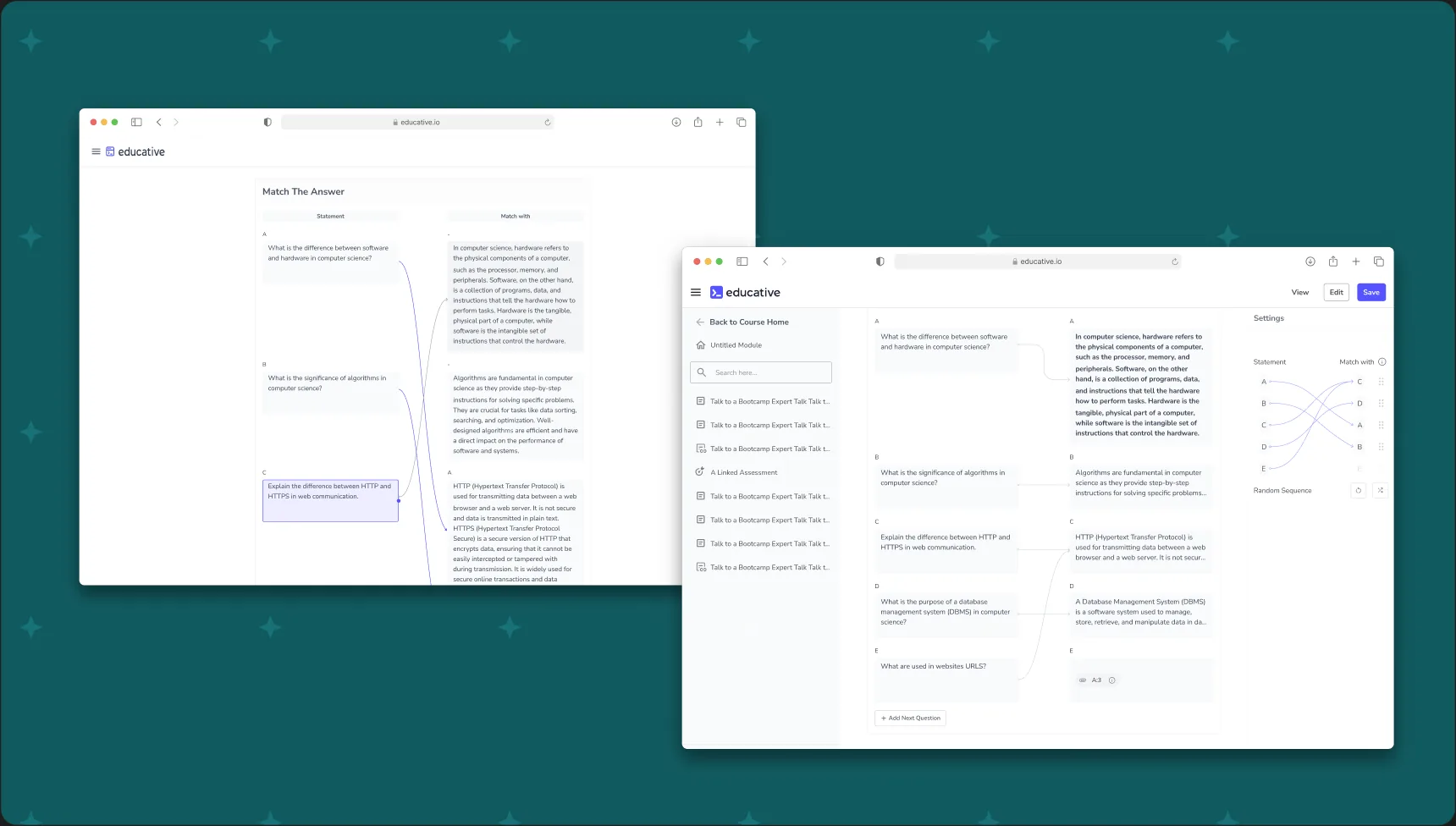
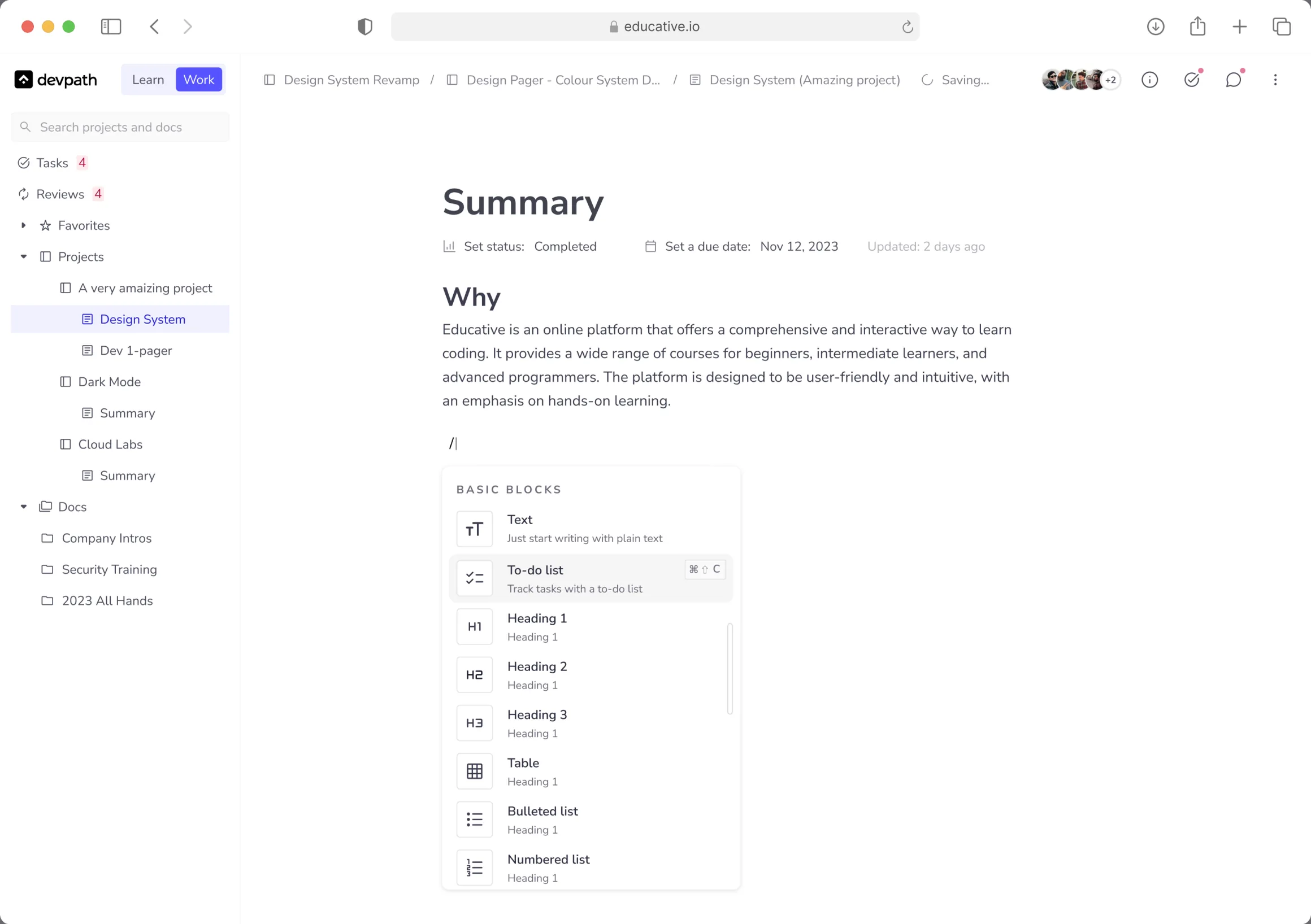
To empower users with maximum control and flexibility, we equipped our product with a diverse library of widgets, These widgets were helpful to users in their work for creating content that they need to share, or get feedback.
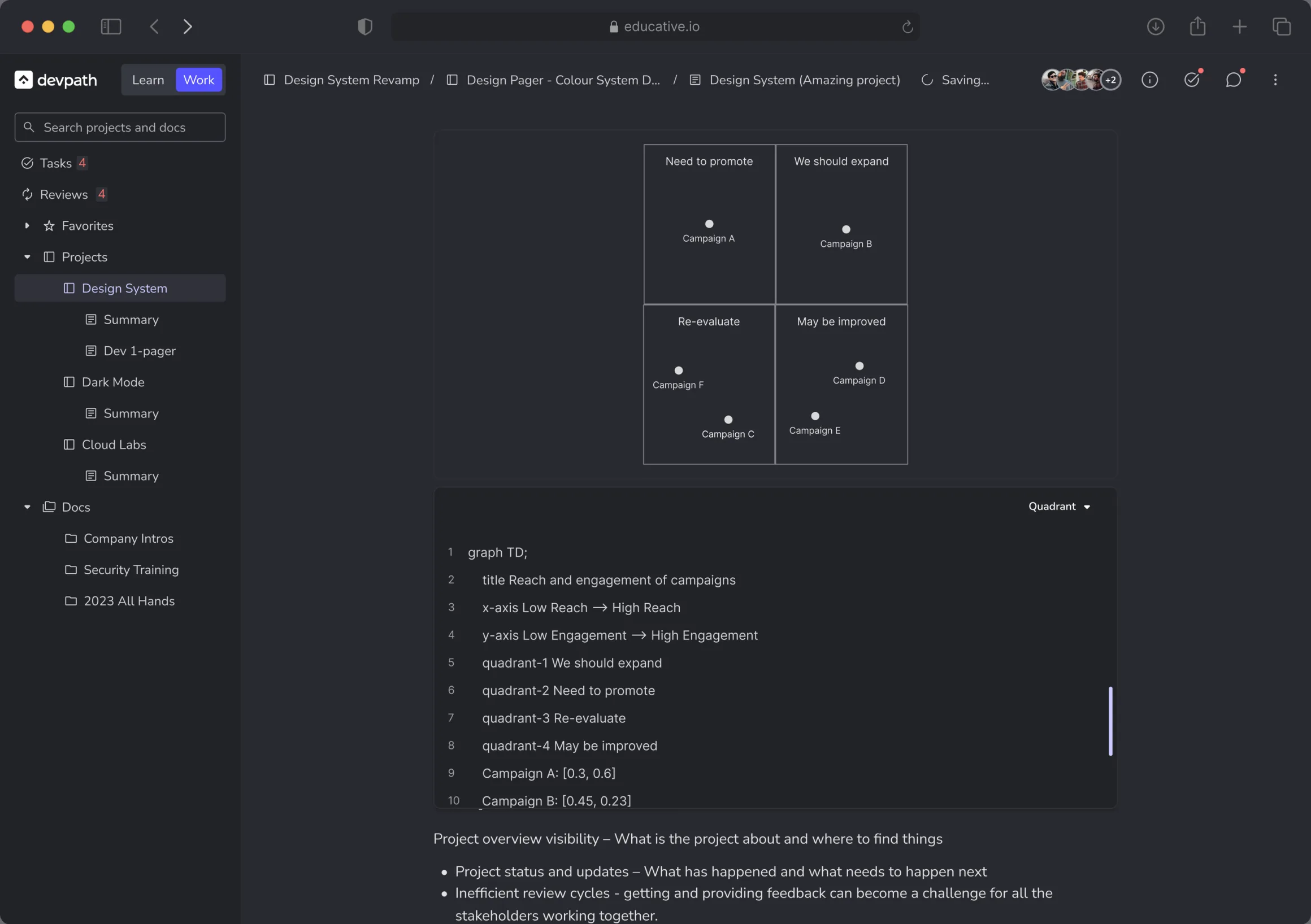
Mermaid Widget
This enables non-coding diagram creation for clear visualization. It helps to draw complex diagrams using code templates.
Visual Content Upload Widget
This widget seamlessly integrates any images or videos into documents, it is very important to share your ideas using visuals, using this widget users can upload content according to the requirement.
Data-Entry Widget
It helped streamline data organization and presentation. Users can use it in various forms to show data or organize content as per the requirement.
Tool-bar Widget
With this widget, users were able to use different formatting methods, typography, colors and all other functionalities required to make document.
Widgets Included
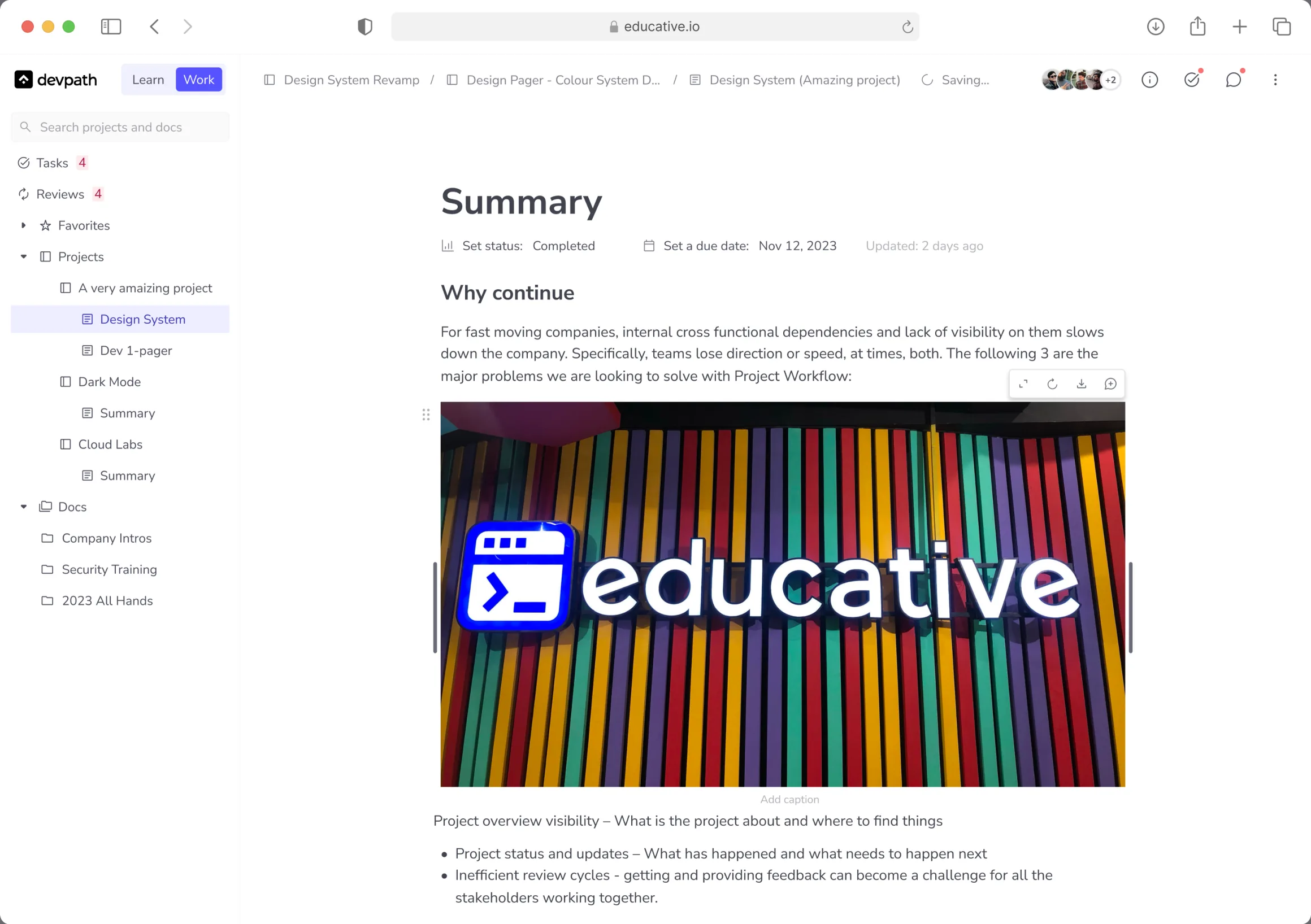
To ensure a cohesive and consistent user experience across the entire editor, we implemented several key solutions:
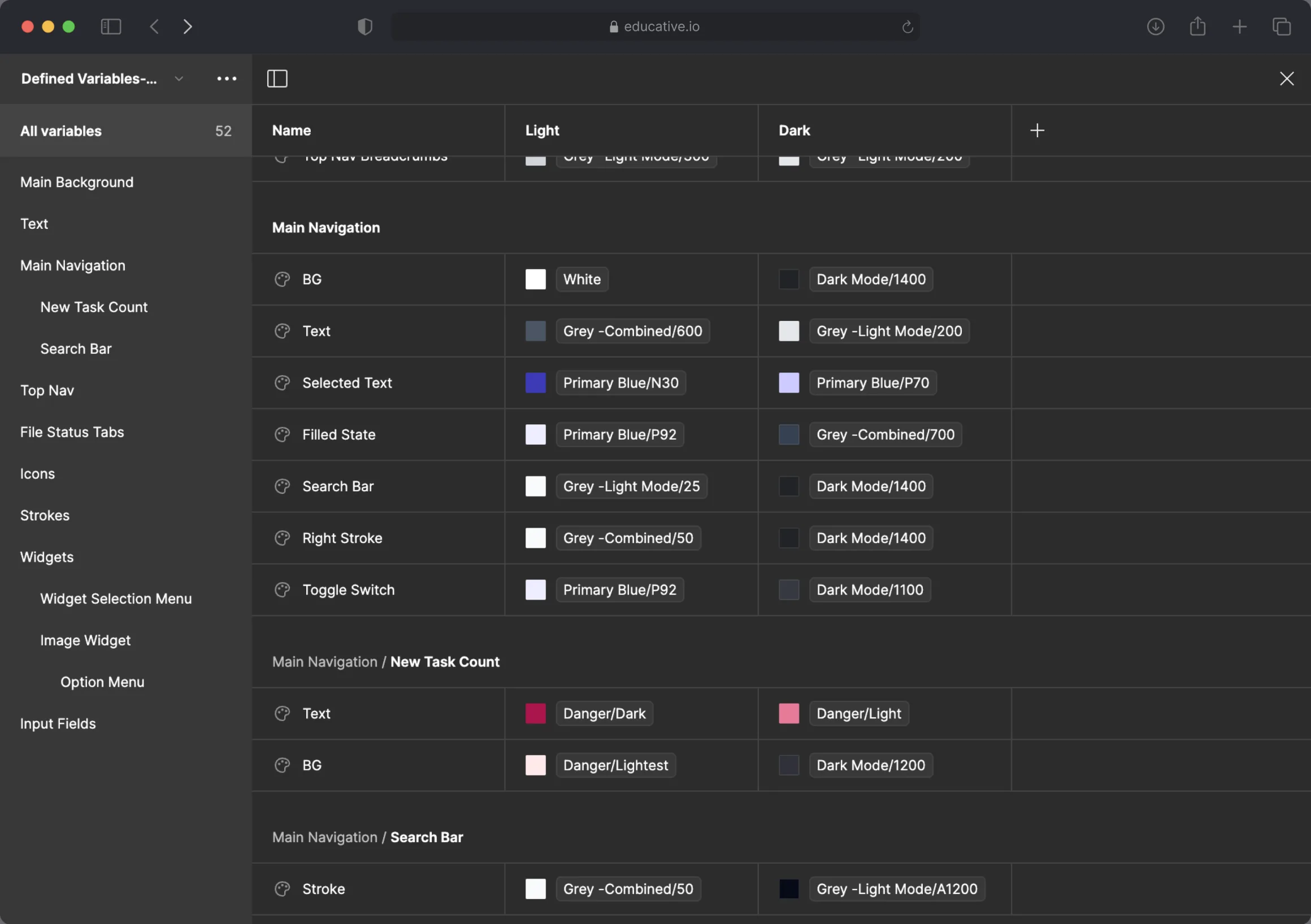
Design System Upgrade
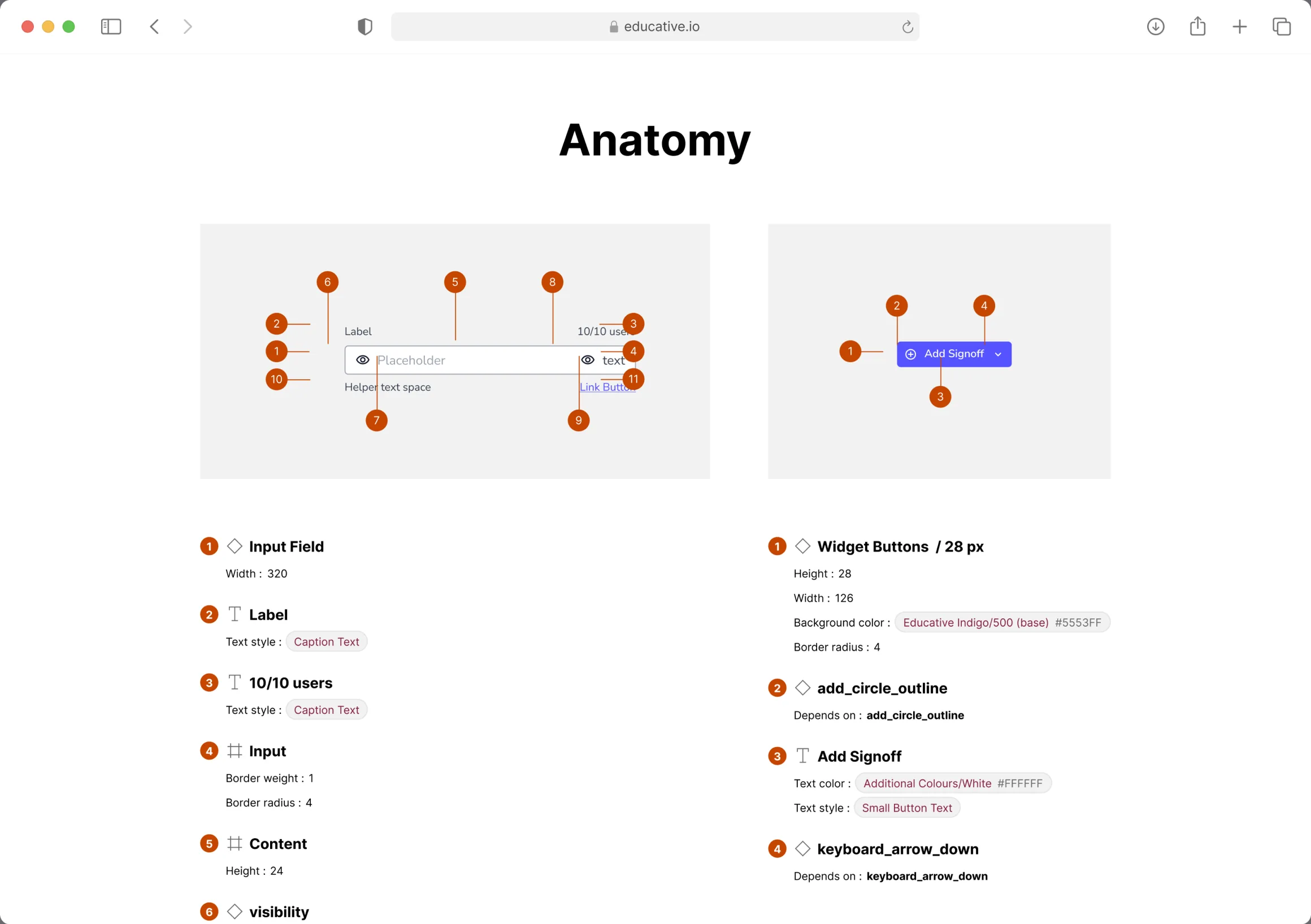
We revamped the core design system to guarantee consistency across all features, both new and pre-existing.
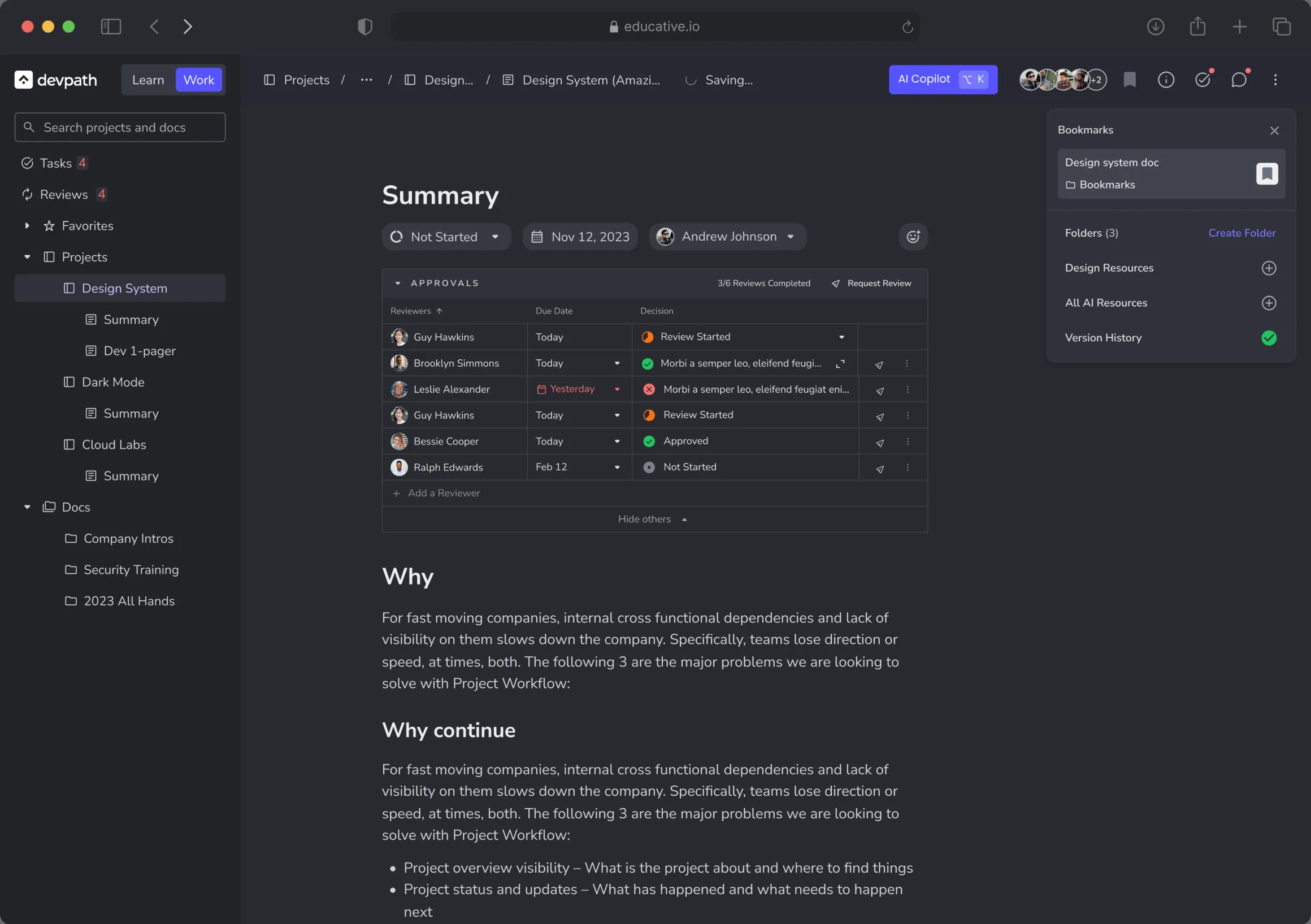
Design Tokens, Light & Dark Mode Conversion
Users can now seamlessly switch between visual preferences without compromising consistency resulting consistent designs and live versions.
Design Consistency
Reaching the ending of this project, we stand ready to assess the impact achieved through rigorous testing and data analysis. Both quantitative and qualitative research methods were employed throughout the design process, ensuring data-driven decision making for optimal results.
We achieved all of our goals, we introduced features that helped users to work in a more organized way, AI was implemented in such a way that it helped to eliminate redundant work and to provide creative solutions, users efficiency was improved and product consistency was maintained.
These results brought a positive impact on our product. We extracted these results from data driven tools like Microsoft Clarity, LookerStudio and from user surveys. Our product witness:
Our Journey In Editor Experience
What users can do before
What users can do now
Users actively adopted the editor system to make documentation and to collaborate with their team.
AI features introduced helped users to organize workflows, summarizing long pages, all of this led to more work done in less time.
An increase in productivity and collaboration experience was witnessed, minimizing repetitive work and focus on the main tasks at hand.
Users were happy with the changes and new features introduced in the editor experience.
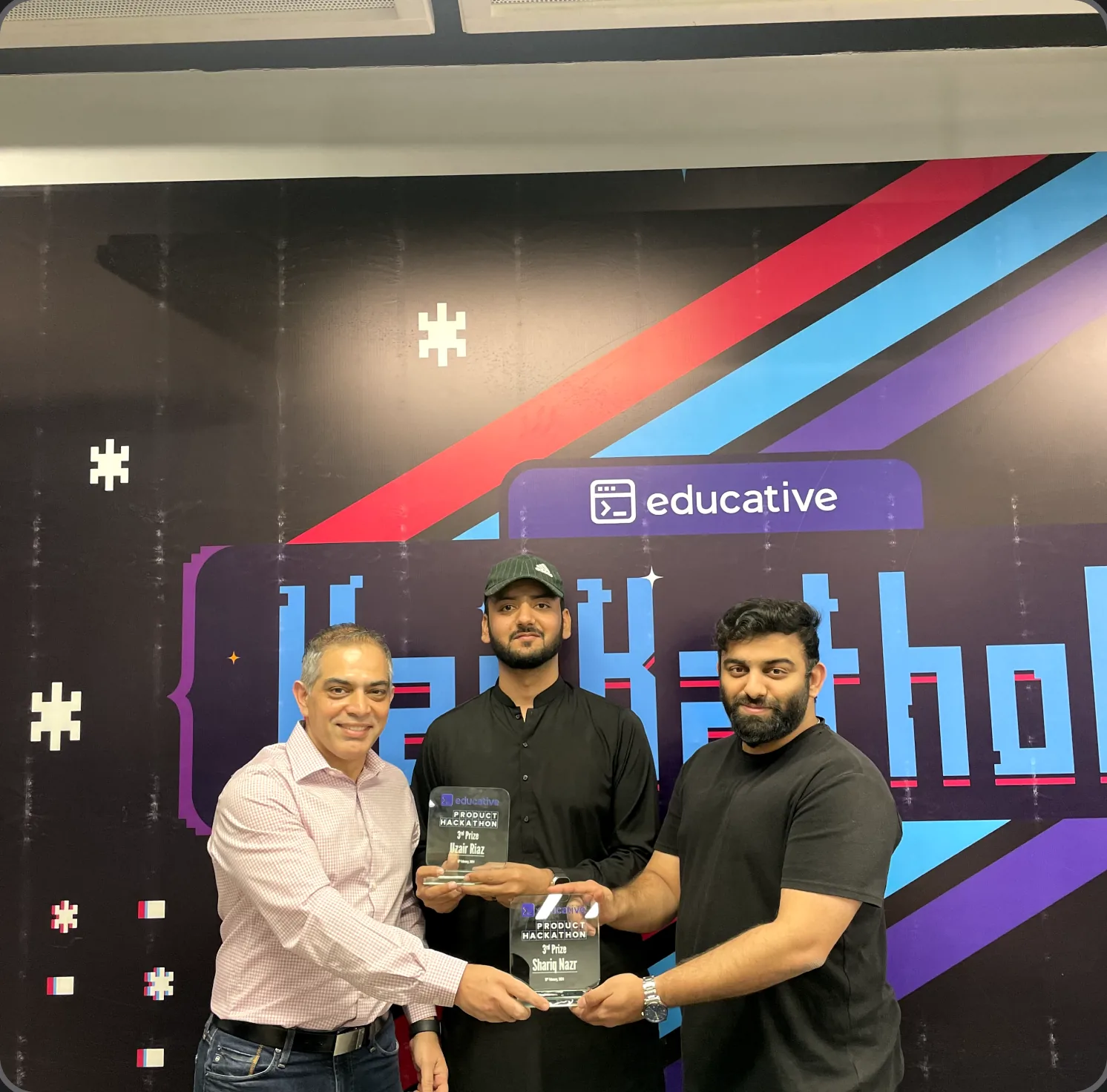
In this journey, I was also rewarded with prestigious trophy for introducing innovative ideas for our product. This recognition from our stakeholders served as a testament to the trust and value they placed in my contributions. It was a moment of immense pride, not just for the award itself, but for the impact my ideas had on the project and the positive feedback they garnered.
The journey was exhilarating, filled with invaluable lessons. Just as Steve Jobs famously said, "Learn continually: There is always one more thing to learn."
We can’t go into solving problems, without a process in hands, make a process, prioritize your tasks, tackle any challenges, review the process and make this work.
Clear and consistent communication throughout the design and development process is essential for ensuring everyone is aligned and working towards the same goals.
I learned to support decisions with evidence, boosting stakeholder confidence and guiding effective choices for more impactful project outcomes.
Sometimes, the most effective solutions may emerge from unexpected challenges or require adapting initial plans based on user feedback.
As Editor Experience remains integral, our journey continues with new ideas and innovations. Our future goals are to provide comprehensive services to companies, harnessing our product's full potential for team growth. Additionally, we plan to introduce task automation for enhanced flexibility and efficiency. With a dedicated team and robust plans, we're poised for further expansion and continued success.
Next Project